Fill your small team’s empty seats with AI agents
Crewly is a SaaS that fills the missing roles on a 1–5-person team with AI agents. Agents post drafts and proposals to the dashboard approval inbox; a human must approve before anything runs. Slack is only an optional, connected notification channel — agents never act on their own.
Virtual company data · AI responses are simulated
AI proposes, people approve
Agents react to events and schedules, or watch for situations on their own through a proactive heartbeat, to generate proposals. Approval requests land in the dashboard inbox, and if you connect Slack you also get a notification there. Once someone approves, rejects, or requests edits, the real action runs, and the outcome is stored in the team’s memory to inform future decisions.
Dashboard-first approval
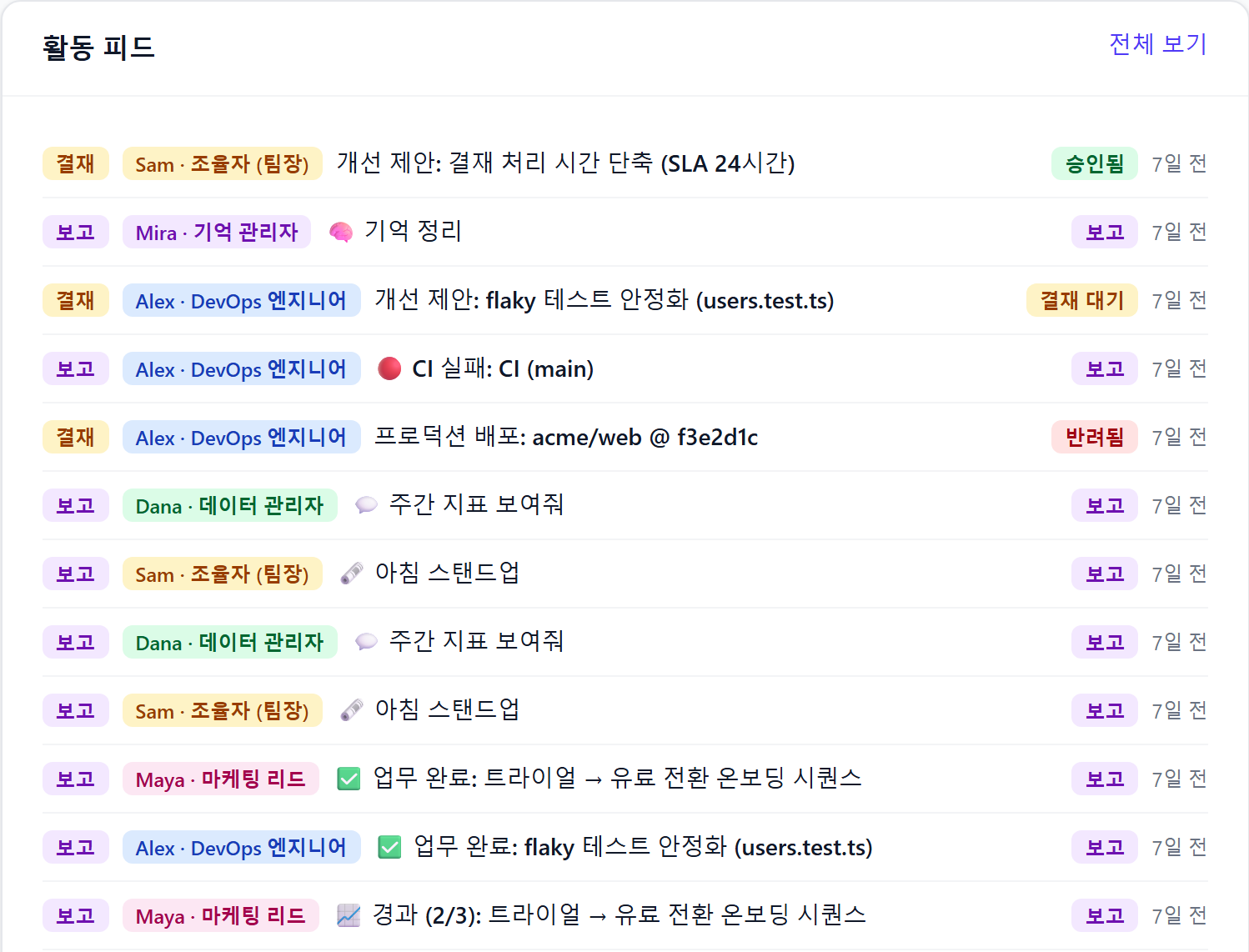
The approval inbox is the main screen. Every external action runs only after approval, and requests, reports and progress pile up live in the activity feed. Slack is only an optional connected notification channel.
No goal, no proposal
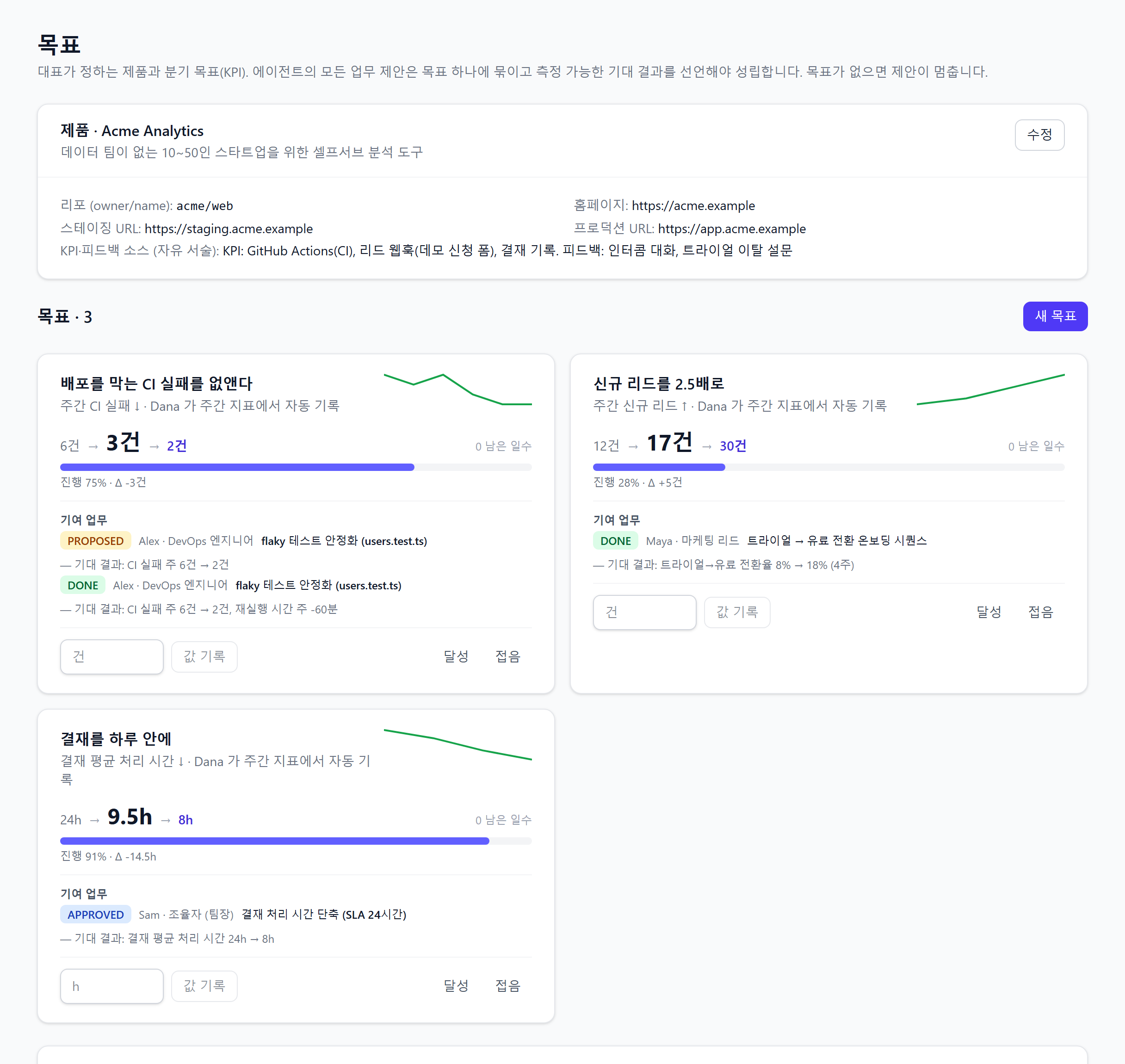
Every proposal an agent makes is tied to a goal the company set, and has to declare a measurable expected outcome. The goals screen tracks baseline → current → target progress and every contributing task.
Approval and evidence, together
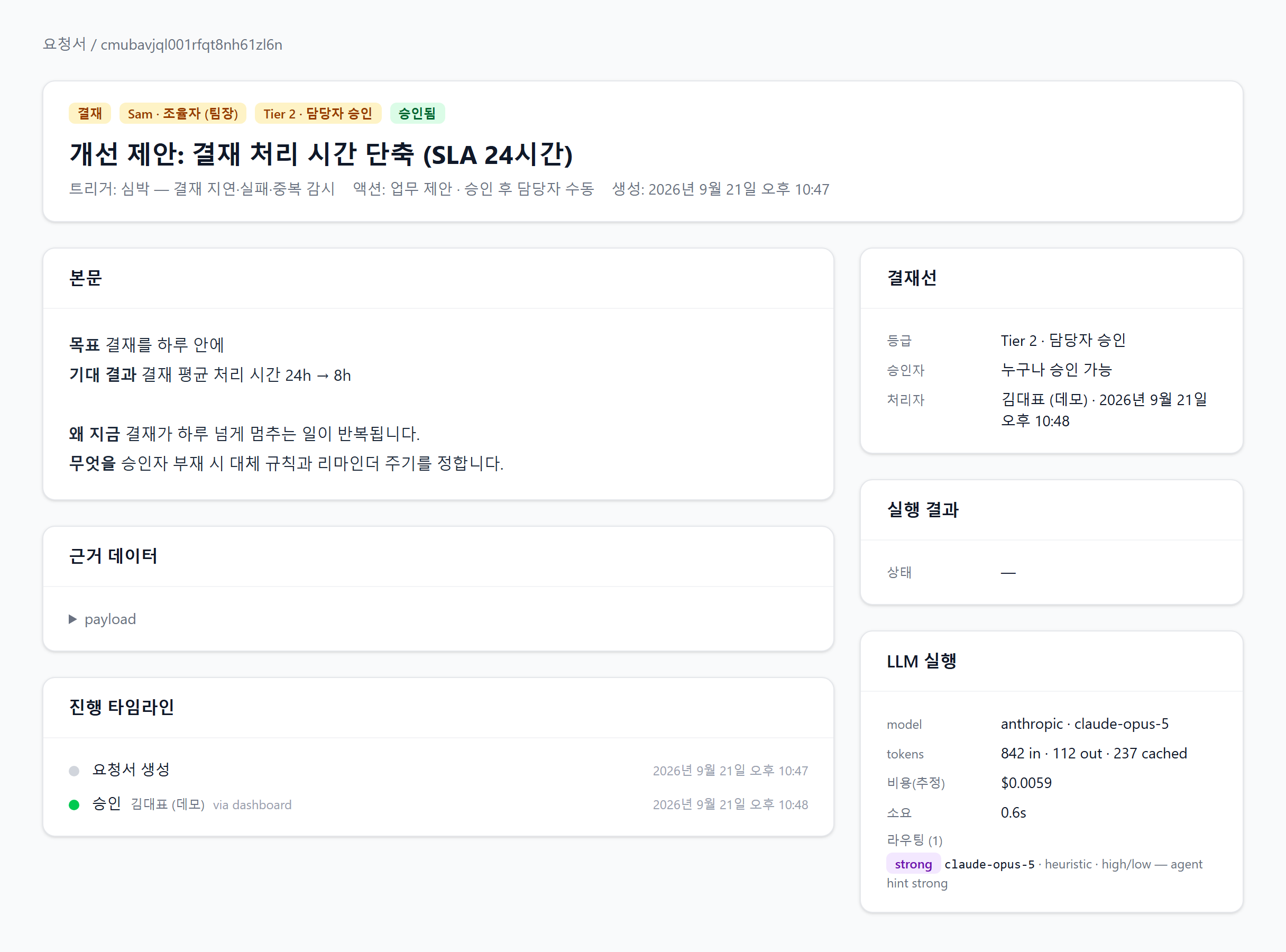
Every execution has to pass through the approval chain, and the request itself records which model ran, in how long, at what cost. See what was approved, by whom, and why — all on one screen.
Agents in the beta
Monitors your infrastructure and proposes deployments — from build-failure analysis to cost reports.
- Instant build-failure analysis
- Deploy & scale approvals
- Daily infra briefing
- Weekly AWS cost report
Drives early customer acquisition — drafting copy and outreach and reporting on results.
- Landing & post copy drafts
- Personalized outreach email
- New-lead response
- Weekly performance report
Keeps the team’s day on track — running the daily standup, nudging overdue requests, and routing new requests to the right agent.
- Daily standup summary
- Automatic nudges for overdue requests
- Routes requests to the right agent
- Shares team progress
Looks after your data — reporting weekly metrics, checking data freshness, and answering the team’s data questions.
- Weekly metrics report
- Data freshness checks
- Data Q&A
- Early anomaly detection
Manages the team’s memory — organizing conversations and decisions into memory and recalling them for other agents when needed.
- Regular memory curation
- Weekly memory digest
- Instant recall of past context & preferences
- Cleans up duplicate or stale memories
A safe way to automate
Human-in-the-Loop
Every external action runs only after dashboard approval. Agents never act alone.
Tier-based approval
Actions route automatically to a designated approver or the owner based on risk.
Events, schedules & proactive heartbeats
Driven by GitHub and CloudWatch events and regular schedules — plus a heartbeat where agents watch for situations and raise proposals on their own.
Dashboard-first approval
The approval inbox is the main screen. Slack is an optional connected notification channel.
Multi-LLM routing
Our own router picks the right model for each task across Anthropic, OpenAI, Google and more.
Memory system
Conversations and decisions are stored as memory and recalled when needed, shared across agents.
Audit log
Every action and approval is logged so you can trace what ran, when, and why.
From signal to execution, in four steps
Detect a signal
An event, a schedule, or an agent’s own proactive heartbeat decides the next move.
AI drafts
The right LLM for the task analyzes the situation and produces a draft or proposal.
Approve on the dashboard
Approve, reject, or request edits from the inbox — with a Slack notification too if connected.
Run & remember
Only approved actions run, and the result is recorded in the audit log and the team’s memory.
Not sure where to start with digital transformation?
We will assess an adoption plan tailored to your organization.