Standardizing load testing into prepare, run, report
Loadly turns experience earned in the field — performance testing for Public Agency A and Public Agency B — into a load-testing dashboard. In the prepare stage, probes automatically crawl the target site and surface candidates, so the customer only has to pick the target and scale. Loadly carries it from there through execution and reporting.
Prepare, run, report — done in three steps
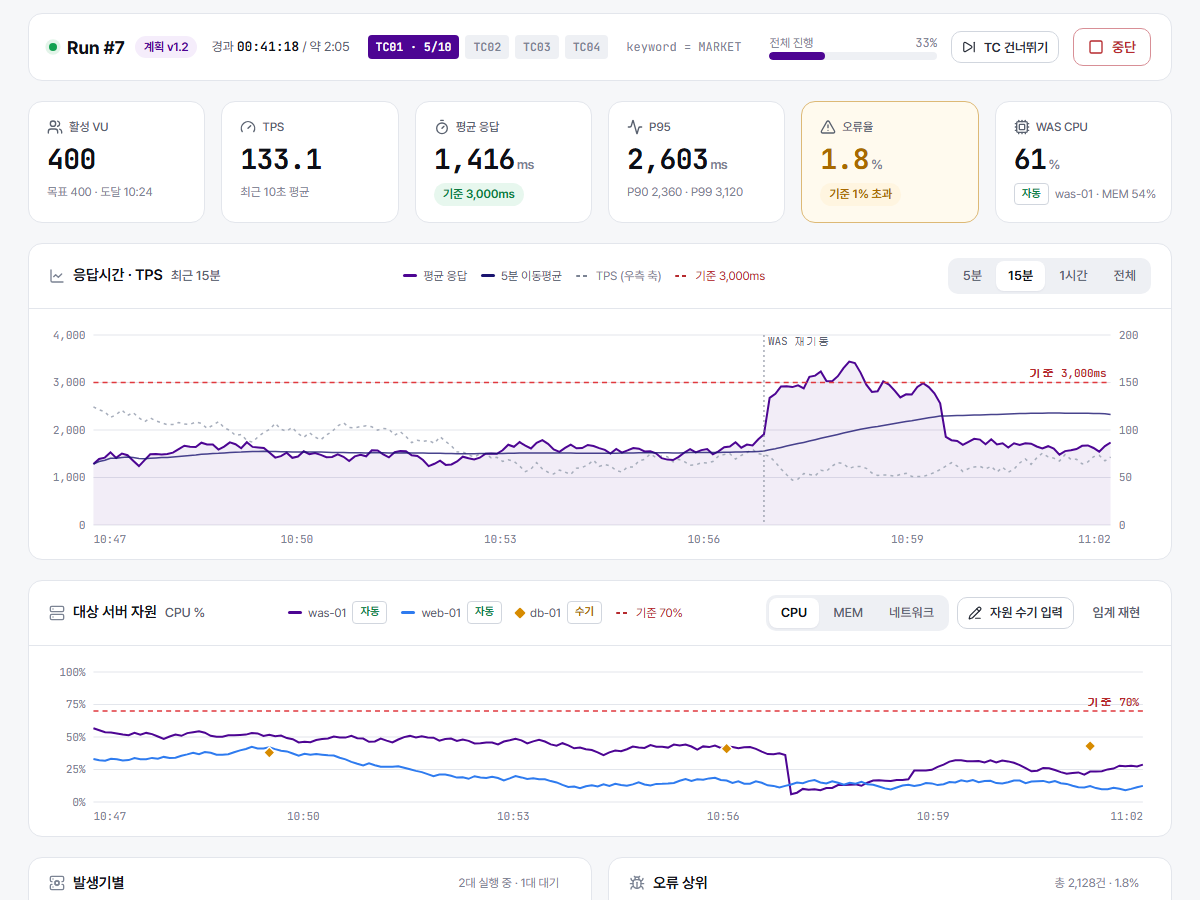
In the prepare stage, probes automatically crawl the target site to build a list of endpoint candidates, and the customer selects and confirms the evaluation targets and scale from that list. While it runs, resource usage is monitored in real time, and once it finishes, Uponix — our own large-scale text analysis engine — analyzes the results and compiles them into a standard report automatically. This process was validated on real public-sector projects, including Public Agency A's corporate credit inquiry system and Public Agency B's training portal.
From discovery to report, one flow
Probes automatically collect screens and APIs, and once the customer confirms the target and scale, a performance test plan is generated automatically. The plan is version-locked for audit trails, and a report in the public-sector format (PPTX/PDF) comes out the moment the run finishes.
Action recording — zero scripts to write
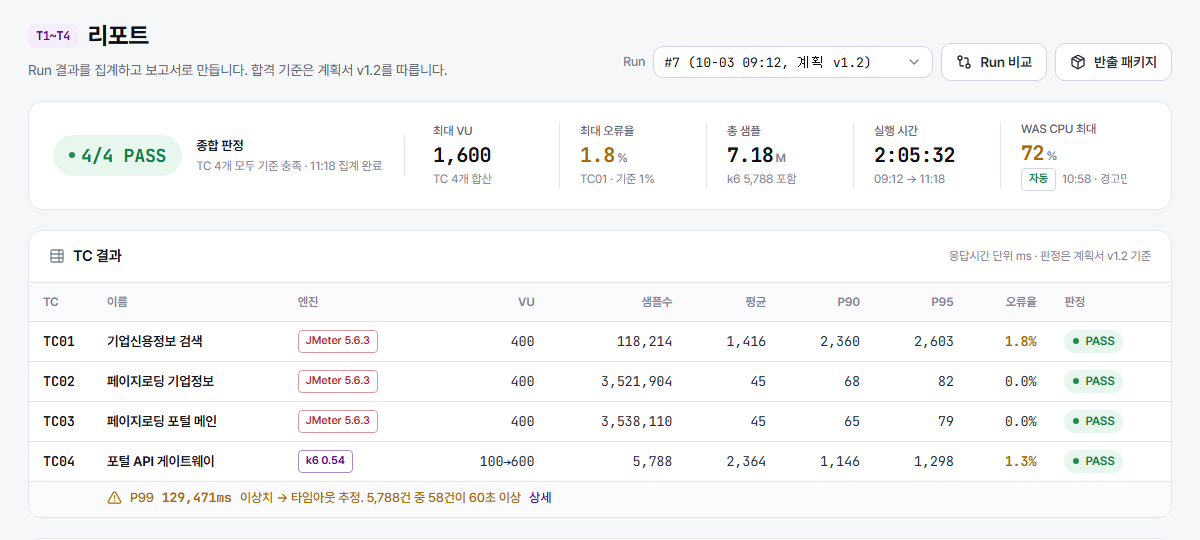
An operator just works the real screen — type a search term, click search — and the API calls and parameters fired are recorded automatically. Matching inputs against parameters even surfaces dataset candidates on its own, so nobody hand-writes a JMeter script.
Runs on-prem, monitored live
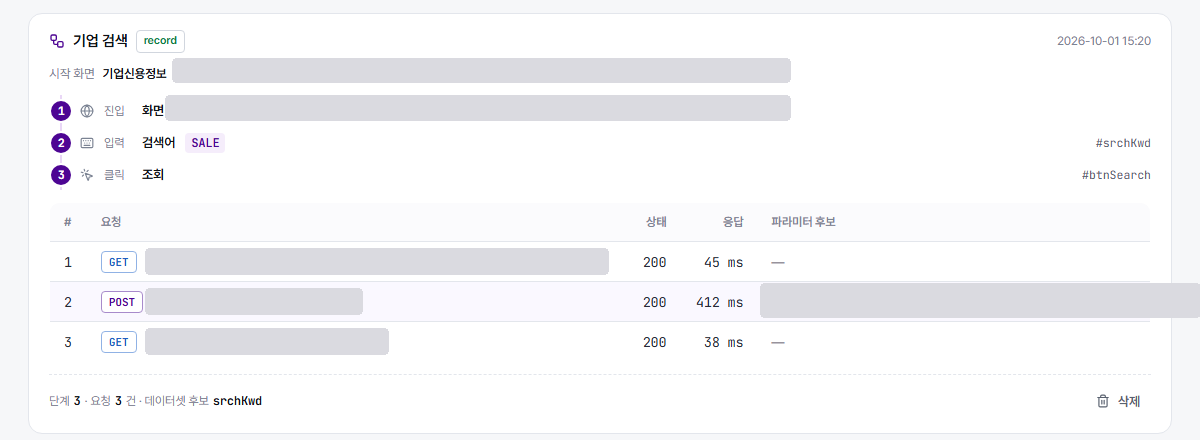
A self-contained bundle installs on Rocky, RHEL, Ubuntu, Windows and more — even on internal networks with no internet access. While a run is live, response time, TPS, error rate and target-server CPU/memory are all shown in real time against a baseline.
What performance-testing work actually needs
Auto-discovery probes
Probes automatically crawl the target site to surface endpoint candidates, and the customer selects and confirms the evaluation targets and scale from them.
Engine adapter design
Choose JMeter or k6 per test case, and the scenario is built automatically.
Real-time resource monitoring
Combines a monitoring agent with manual checks to track resource usage live.
Uponix-powered analysis & reporting
Uponix, our large-scale text analysis engine, analyzes the results and drafts a standard report automatically.
From preparation to report, in three steps
Prepare
Probes automatically crawl the target site for candidates, and the customer selects and confirms the evaluation targets and scale.
Run
The confirmed scenario auto-generates JMeter or k6 scripts and runs them while monitoring resource usage in real time.
Report
Uponix analyzes the results into a standard report ready to support decisions immediately.
Not sure where to start with digital transformation?
We will assess an adoption plan tailored to your organization.